
Roo Code
Roo Code for AI Engineer is a custom version of Roo Code for enterprise use cases with no telemetry. As a fork of Cline, it keeps the same core agent workflow while adding more control and configuration options for power users.
Key Features
Section titled “Key Features”- High-performance Cline fork optimized for speed and cost control
- Mode-based guardrails to limit actions by role and risk
- Efficient line-based diffs to reduce large file rewrites
- Best when you want agent power with tighter operational control
Installation
Section titled “Installation”- Download the Roo Code VS Code extension from AI Coding Plugins.
- If you are updating an existing installation, delete the old Roo Code extension folder from
.vscode/extensions. - In VS Code, open Extensions, open the three-dot menu, and choose Install from VSIX.
- Select the downloaded file and reload VS Code.
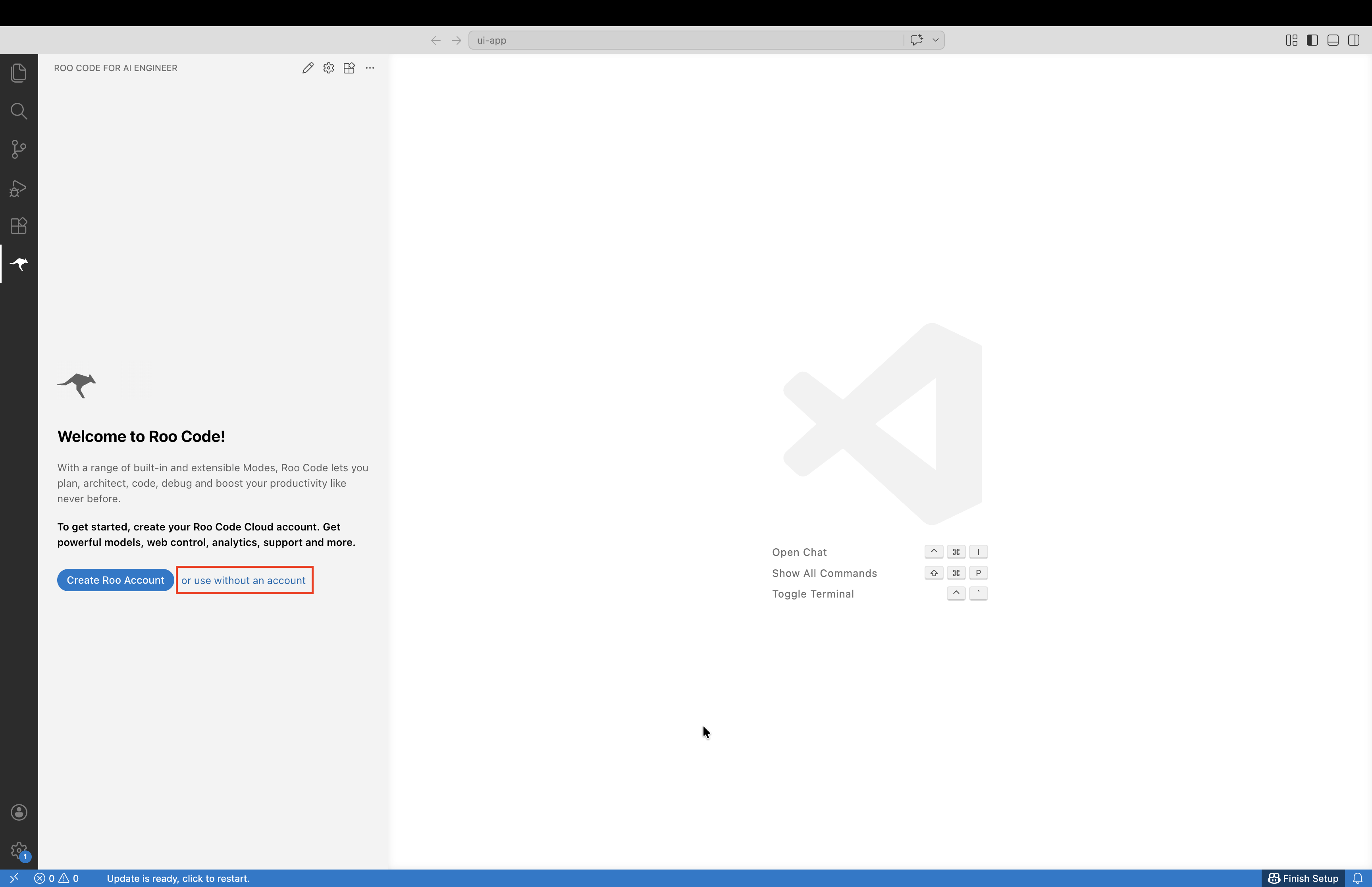
- Click Use without an account.
- Select 3rd-party Provider.
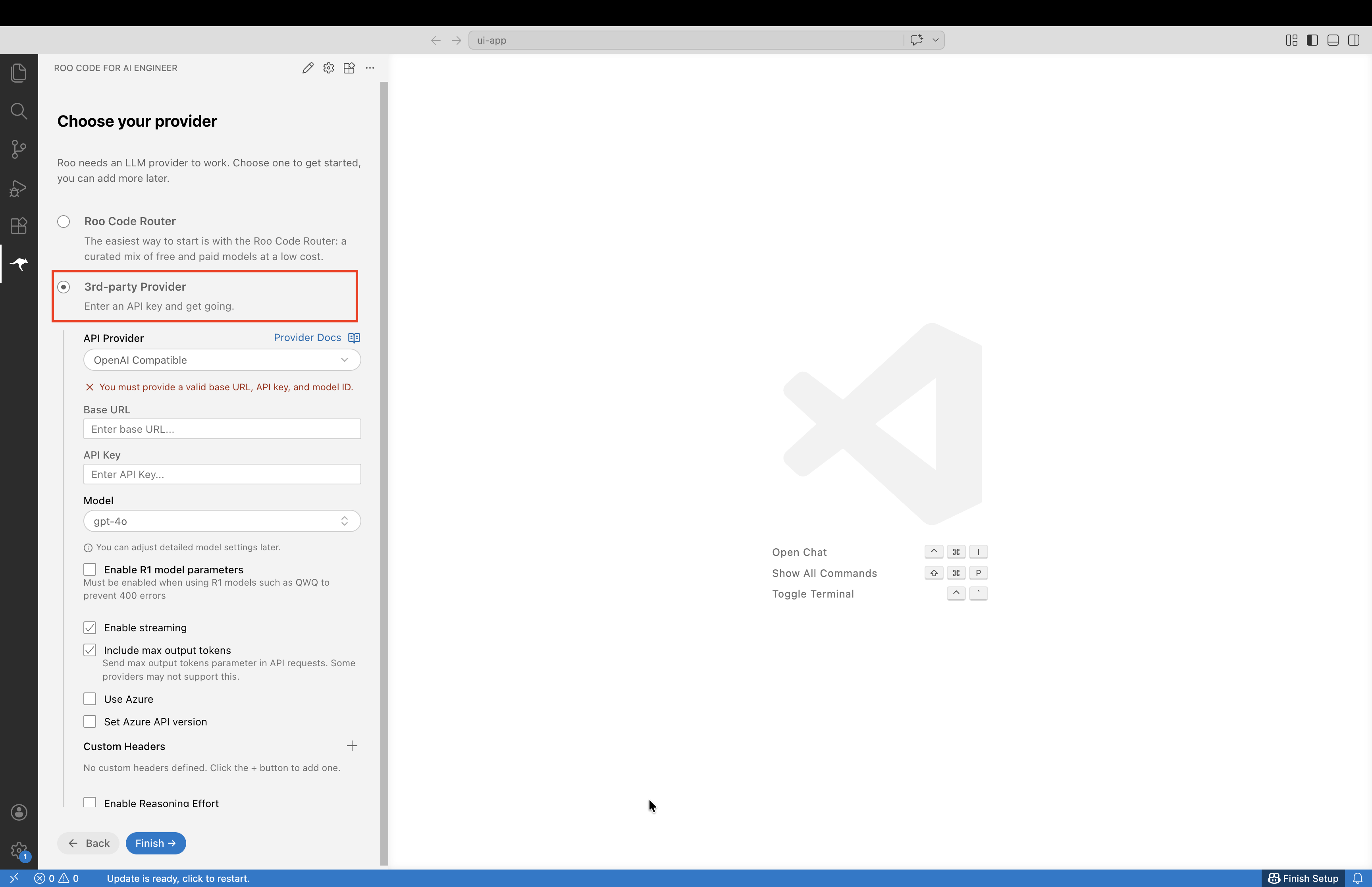
- Set the API provider:
API Provider = OpenAI Compatible- Set the base URL:
Base URL = https://llm-server.llmhub.t-systems.net/v2/coding- Generate an API key in LLM Serving API Keys and paste it into Roo Code:
API Key = gen-************************************************- Choose a model ID from Available Models, then click Finish:
Model = gpt-oss-120bYou can now start a chat and use Roo Code in VS Code.
Updating
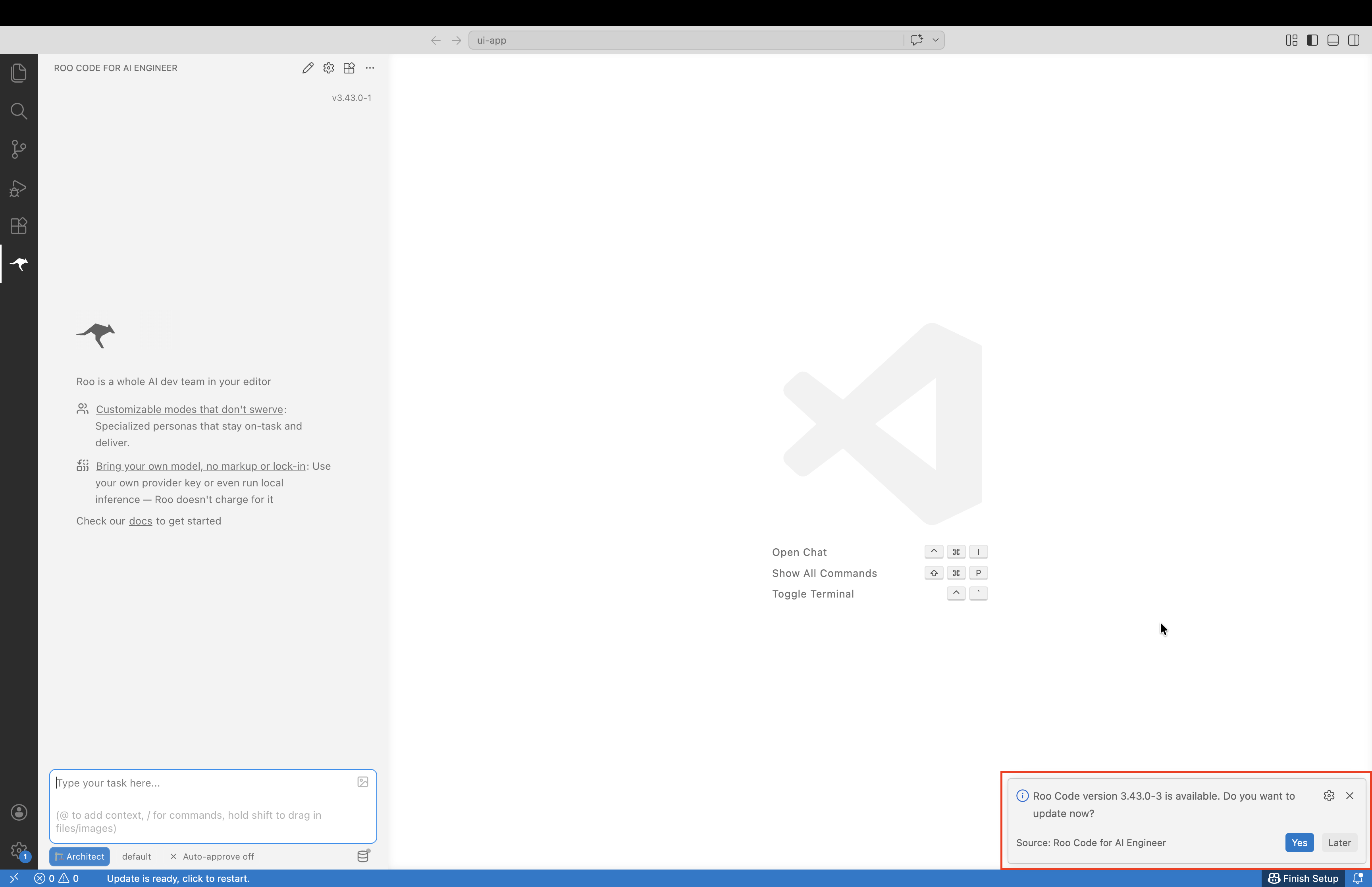
Section titled “Updating”After setup, Roo Code can fetch newly published versions automatically. When you start or reload VS Code and an update is available, a popup appears.
- Click Yes to download the latest version.
- After the download finishes, click Reload Now to restart the extension.
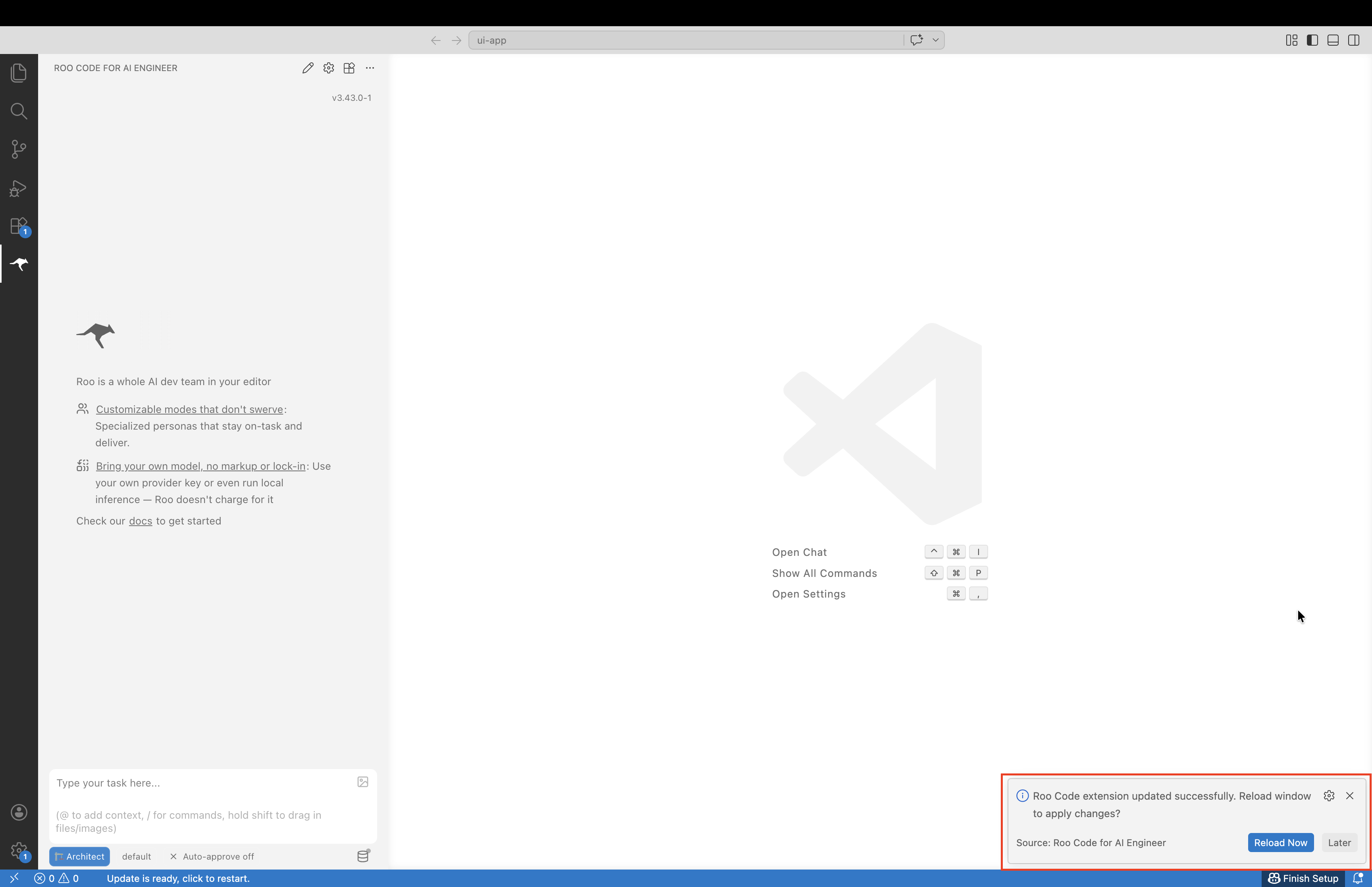
After Visual Studio Code restarts, the latest Roo Code version is ready to use.